
1.2 Navigation guide
The order of Help Documents sections:
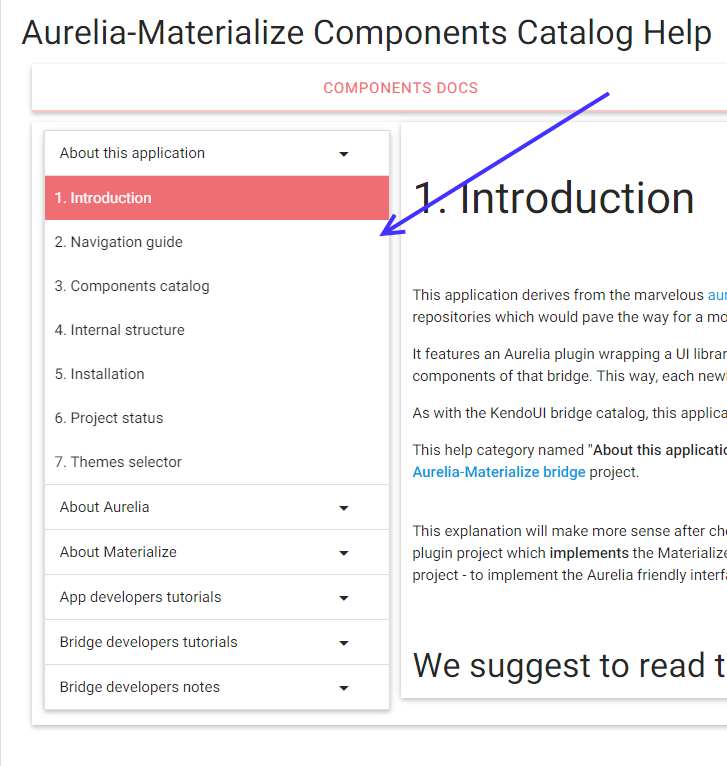
Image 1
is chosen to indicate the order of reading in most situations. This article provides some additional hints about the content of each section and why you might be interested to read it, possibly out of the "natural" sequence defined in Image 1.
About this application
This section which starts with introduction is the collection of articles explaining the purpose and structure of this Aurelia Materialize Components Catalog application. The gist of this collection of articles is:
If you are a developer looking for a well balanced set of UI components for Aurelia - check the catalog of components.
If you are a developer already knowing about this set of UI components for Aurelia - check App developers tutorials
Navigation guide
This is the section you are reading now - it provides the "global navigation" details that might not be obvious from a sequential reading process.
About Aurelia
This section is provided as a help to developers that are familiar with Materialize and would like to use it with Aurelia framework
About Materialize
This section is provided as a help to developers that are familiar with Aurelia framework and would like find out more about Materialize in order to be able to use Aurelia Materialize bridge to develop the user interface for their Aurelia applications.
App developers tutorials
This section starts with the well known Aurelia Skeleton Navigation augmented by Aurelia Materialize-Bridge. That application which will be created from scratch in the App developers tutorials. and teaches you how to add four chosen Aurelia Materialize components (select, button, slider and collapsible).
App developers notes
Due to relative complexity of some of Aurelia Materialize bridge components, this section contains the selected collection of notes that are useful to developers that want to contribute to the future development of Aurelia Materialize bridge.
Last updated